
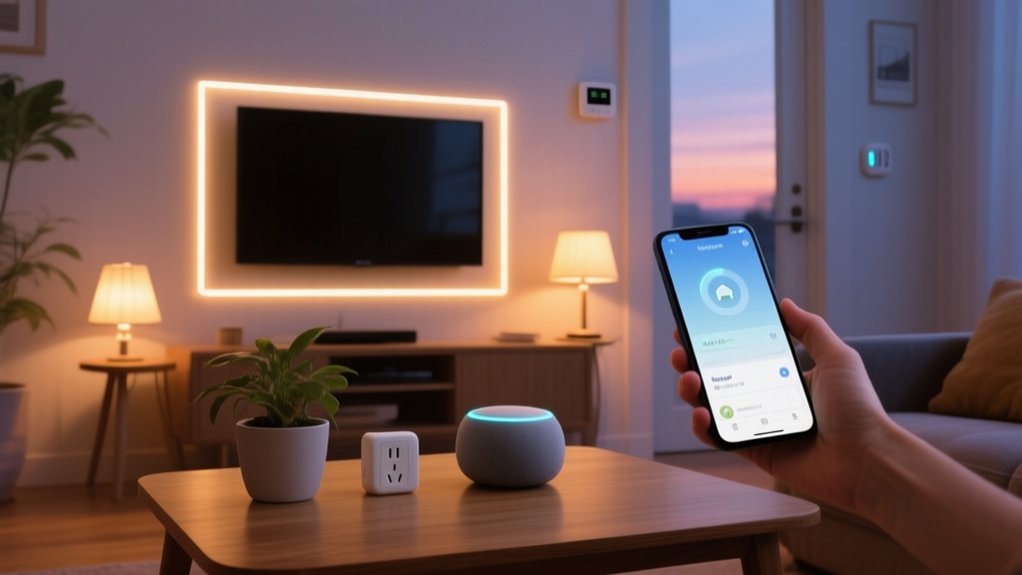

You don’t need an expensive, fully wired system to get real value from smart home tech. By defining clear goals, setting a firm budget, and choosing an ecosystem like Alexa, Google, or Apple, you can prioritize low-cost devices—such as smart plugs, Wi‑Fi bulbs, and basic sensors—that deliver tangible gains in efficiency, security, and convenience. The key is knowing where to start, what to skip, and how to avoid costly compatibility traps…
Key Takeaways
- Start by defining clear goals and choosing a single ecosystem (Alexa, Google, Apple, or Matter) to avoid incompatible devices and wasted money.
- Begin with low-cost, high-impact devices like smart plugs, basic smart bulbs, and a budget-friendly thermostat instead of expensive whole-home systems.
- Use built-in apps to create simple schedules and routines for lights, heating, and key appliances to reduce energy usage and manual effort.
- Phase upgrades room by room, tracking spending in a simple budget or spreadsheet to prevent impulse buys and prioritize must-have features.
- Prefer reputable brands with good support and firmware updates, and standard protocols (Matter, Zigbee, Wi‑Fi) to ensure long-term compatibility and avoid replacement costs.
Decide What You Want Your Smart Home to Do

Before you buy any devices, you need to define exactly what you want your smart home to accomplish. Start by listing concrete outcomes: reduce energy usage, enhance security, streamline lighting, or improve comfort.
Translate each outcome into specific Home automation tasks—such as automated lighting scenes, thermostat schedules, or door lock control.
Next, map tasks to rooms and daily routines. Identify which actions must trigger automatically (sensors, schedules) and which you’ll control manually (apps, voice). This prevents you from adding unnecessary complexity.
Finally, consider device compatibility from the outset. Choose an ecosystem (such as Matter, Alexa, Google Home, or Apple Home) and verify that planned devices support common standards. This ensures reliable integrations, simpler configuration, and fewer technical issues over time.
Set a Realistic Smart Home Budget Upfront
Although smart home tech can get expensive fast, you can keep costs under control by defining a realistic budget aligned with your priorities and home layout. Start with budget planning: set a total cap, then allocate ranges for categories like lighting, security, climate control, and voice interfaces.
List must-have functions first, then nice-to-have upgrades. Price devices, required hubs or bridges, and any professional installation separately. Don’t forget recurring costs such as cloud storage and subscription monitoring.
Challenge common smart home myths, like “automation always saves money” or “more devices equal better automation.” You’re aiming for targeted functionality, not gadget accumulation.
Track actual spending in a spreadsheet so you can phase purchases, adjust allocations, and avoid impulse buys that blow your budget.
Choose a Budget-Friendly Smart Home Ecosystem
You now need to choose a smart home ecosystem that aligns with your budget by comparing the major platforms on device compatibility, automation capabilities, and ongoing costs.
Focus on your must‑have features—such as voice control, local processing, or advanced routines—so you’re not paying for functions you won’t use.
At the same time, assess each ecosystem’s roadmap, protocol support (like Matter and Thread), and third‑party integrations to guarantee you can expand later without expensive replacements.
Comparing Major Smart Platforms
Three major smart home platforms dominate today’s budget-friendly ecosystem decisions: Amazon Alexa, Google Home, and Apple Home (HomeKit).
When you compare them, evaluate cost, device compatibility, automation complexity, and data handling to cut through Smart home myths and focus on real trade-offs.
Alexa offers the widest device support and frequent discounts, ideal if you prioritize low-cost hardware and broad integration.
Google Home excels at contextual voice recognition and powerful routines, especially if you’re already in the Google ecosystem.
Apple Home (HomeKit) emphasizes security architecture, on-device processing, and stricter encryption, addressing strong Privacy concerns but usually at higher hardware cost and narrower device selection.
You’ll get the best results by choosing one primary platform, then adding cross-compatible devices strategically.
Prioritizing Must-Have Features
Once you’ve compared Alexa, Google Home, and Apple Home, the next step is to define the specific capabilities you actually need so you don’t overspend on features you’ll never use.
Start by listing concrete use cases: automated lighting scenes, thermostat scheduling, door lock control, basic security alerts, or voice control for media.
Rank these by impact on comfort, energy efficiency, and safety.
Ignore Smart home myths that say you must automate everything; you don’t.
Focus on devices that integrate natively with your chosen ecosystem to avoid extra hubs and compatibility headaches.
Evaluate whether you’re comfortable with DIY installation for switches, sensors, and cameras, or prefer plug‑and‑play options.
Finally, prioritize reliability, app usability, and local control over flashy but nonessential automations.
Planning for Future Expansion
Smart home plans stay affordable over time when you treat your ecosystem like core infrastructure, not a collection of gadgets. You start by picking a primary ecosystem (Alexa, Google Home, Apple Home, or a Matter‑ready hub) and build around it. This keeps routines consistent and avoids app overload.
Use future proofing strategies: prioritize open standards (Wi‑Fi, Thread, Zigbee, Matter), overclosed, proprietary radios. Before buying, verify device compatibility with your chosen platform and check firmware update policies.
Plan logical expansion phases: security, then comfort, then optimization (sensors, energy monitoring). Make sure your router, hub, and power capacity can support additional devices.
Document logins, device names, and network layout so scaling up stays controlled, predictable, and inexpensive.
Start With High-Impact, Low-Cost Smart Devices
Before you invest in expensive hubs or whole-home systems, prioritize a few high-impact, low-cost devices that immediately reduce energy use, increase security, and streamline daily routines. Ignore common Smart home myths that say you must upgrade everything at once. Instead, start with smart plugs, Wi‑Fi thermostats, and connected power strips.
These devices deliver measurable savings by cutting standby consumption and optimizing heating and cooling schedules. Most support straightforward DIY installation, so you won’t pay for professional labor.
Confirm they’re compatible with major ecosystems (Matter, Alexa, Google Home) to preserve flexibility as you scale. Use the manufacturer’s app to configure automation rules, such as occupancy-based temperature setbacks or scheduled shutdown of nonessential electronics, to quickly see a return on your minimal investment.
Add Smart Lighting on a Shoestring Budget
Although full-featured lighting systems can get expensive fast, you can deploy smart lighting on a tight budget by targeting a few high‑leverage upgrades instead of replacing every bulb and switch. Focus on fixtures you use constantly: living room, kitchen, bedroom, and entry.
Start with Wi‑Fi or Zigbee budget bulbs that support dimming and basic color temperature control. Verify they work with your existing router and preferred ecosystem (Alexa, Google Home, or HomeKit) to avoid extra hubs.
Prioritize LEDs with high lumen output and decent CRI so you don’t sacrifice visibility.
Create simple automation: evening fade‑in schedules, “all‑off” scenes at bedtime, and occupancy‑style control using built‑in app routines. Centralize everything in one app so you minimize fragmentation and keep maintenance straightforward.
Use Smart Plugs to Automate “Dumb” Devices

With smart plugs, you convert ordinary appliances into remotely controllable, automation-ready devices without replacing existing hardware. You’ll identify the best candidates—lamps, fans, coffee makers, space heaters—and control them with scheduling, timers, and occupancy-based routines.
What Smart Plugs Do
Instead of replacing every appliance in your home, you can use smart plugs to make existing “dumb” devices respond to schedules, apps, and voice commands. Once you complete basic smart plug installation—plug in, connect to Wi‑Fi, pair with the manufacturer’s app—you gain precise control over power delivery.
Smart plugs sit between the outlet and device, acting as a remotely controlled switch. You can automate on/off cycles, create occupancy simulations, and cut standby power to reduce energy consumption.
Smart plug compatibility matters: confirm Wi‑Fi standards, load ratings, and support for your voice assistant or hub before buying. Many models also provide real‑time energy monitoring, letting you identify inefficient devices and quantify savings, so every automated outlet delivers measurable value.
Best Devices To Automate
Smart plugs become far more valuable when you pair them with the right “dumb” devices, so you should target appliances where timed control, remote access, or energy savings produce a clear benefit.
Start with lamps and floor lights; they respond perfectly to simple on/off automation and make your home look occupied.
Next, automate coffee makers, fans, and space heaters that have manual toggle switches and resume their last state when powered. This avoids unsafe behavior and aligns with electrical safety guidelines.
You can also control TVs, game consoles, and routers to reduce standby consumption and remotely reboot frozen hardware.
Contrary to common Smart home myths, these uses are low‑risk; still, choose reputable brands, update firmware, and review app permissions to mitigate privacy concerns.
Scheduling And Energy Savings
Why let lights, fans, and chargers burn power all day when you only need them for a few hours? With smart plugs, you can schedule “dumb” devices to follow precise on/off routines that match your actual usage patterns.
Program bedroom lamps to shut off at sunrise, fans to cut power after you fall asleep, and space heaters to pre-warm a room before you wake.
Use plugs with built‑in energy monitoring to see real‑time and historical consumption. Identify high‑draw devices, then refine schedules to target peak waste.
Many apps integrate with the smart grid, letting you shift non‑essential loads—like dehumidifiers or coffee makers—to off‑peak hours. That reduces your bill, lowers demand on the grid, and makes every watt actually work for you.
Boost Home Security With Affordable Smart Tech

How can you upgrade your home’s security posture without draining your budget? Start by ignoring common Smart home myths that say you need a professional integrator or top-tier hardware. Many modern devices support DIY installation, app-based configuration, and secure cloud connectivity.
Focus on three core layers: deterrence, detection, and verification.
- Battery-powered smart cameras with motion zones and two-way audio let you verify events in real time, not just review footage.
- Smart locks with encrypted radio protocols and temporary PIN codes let you manage access control for guests or service providers.
- Contact and motion sensors linked to a central hub push instant alerts, so you’ll know when doors or windows open unexpectedly.
Prioritize devices with local processing, automatic updates, and strong encryption.
Save on Energy Bills With Smart Thermostats and Sensors
Strengthening your home’s security with connected locks and cameras is only half the story; the same infrastructure can also cut your utility costs when you pair it with intelligent climate control. A smart thermostat learns your occupancy patterns, then dynamically adjusts setpoints, so you’re not heating or cooling empty rooms.
You’ll place wireless temperature, humidity, and motion sensors in key zones. These feed real‑time data to the thermostat, enabling zoned conditioning and tighter control bands.
Integrate Energy efficient appliances so HVAC fans, dehumidifiers, and window units run only when they deliver measurable benefit.
With Renewable energy integration, your system can pre‑heat or pre‑cool when solar output peaks, then coast during peak grid pricing, reducing both consumption and demand charges automatically.
Expand Your Smart Home Over Time Without Overspending
Although it’s tempting to wire up everything at once, you’ll build a far more capable and affordable smart home by expanding in deliberate, well‑planned stages. Start by defining functional priorities—security, energy management, or convenience—then add devices that directly support those goals.
Treat your setup as an evolving system. Standardize on a hub or ecosystem, verify protocol compatibility (Matter, Zigbee, Z‑Wave, Wi‑Fi), and reject smart home myths that say you must buy the most expensive gear to get reliability.
- Begin with high‑impact basics: smart plugs, bulbs, and a central voice assistant.
- Add room‑by‑room automation using scenes, schedules, and inexpensive DIY projects.
- Periodically audit unused features, subscriptions, and devices; decommission what doesn’t deliver measurable value.
Frequently Asked Questions
How Do I Keep My Smart Home Devices From Being Hacked?
You harden devices by enabling strong Wi‑Fi encryption, unique complex passwords, and multi‑factor authentication, enforcing automatic Firmware updates, activating built‑in Device encryption, disabling unused remote access, segmenting IoT on a guest VLAN, and routinely auditing admin logs.
What Ongoing Subscription Fees Should I Expect for Budget Smart Home Setups?
You’ll usually face subscription costs for cloud video storage, advanced automations, voice-assistant ecosystems, and security monitoring; these service fees resemble toll gates on a data highway—optional but persistent, requiring careful device selection and periodic auditing to minimize expenditure.
Can I Still Use My Devices if the Internet or Power Goes Out?
You’ll lose most cloud-dependent features, but some devices still function locally. Battery-backed sensors, Zigbee/Z-Wave hubs, and manual switches keep basic control, safety, and limited energy savings. Verify local-control capability and device compatibility before purchase to guarantee resilience.
How Do I Protect My Privacy From Always-Listening Smart Speakers and Cameras?
You protect privacy by disabling wake words, muting microphones, and deactivating idle cameras. Configure strict permissions, harden routers, enable robust data encryption methods, restrict cloud logging, and use voice command customization to minimize stored audio and identifiable metadata.
What Happens to My Smart Home if a Company Discontinues Support for a Device?
Your device often keeps basic functions but loses cloud features, security patches, and new integrations. You then face broken automations, reduced device compatibility, and no firmware updates, so you’d plan migrations or choose standards-based, locally controlled alternatives.
Conclusion
As you plan routines, set budgets, and pick an ecosystem, you’ll notice a coincidence: the same smart plugs, bulbs, and sensors that add convenience also cut energy waste and upgrade security. By starting small—prioritizing high‑impact devices, low‑latency connectivity, and efficient automation—you’ll build a scalable, interoperable system that fits your budget. Over time, you won’t just own smart gadgets; you’ll run a streamlined, data‑driven home that quietly pays you back every month.